
Take a mobile device to finish up calibration
V8N

All-in-one truck tracking platform
Quick installation guide
Step 1
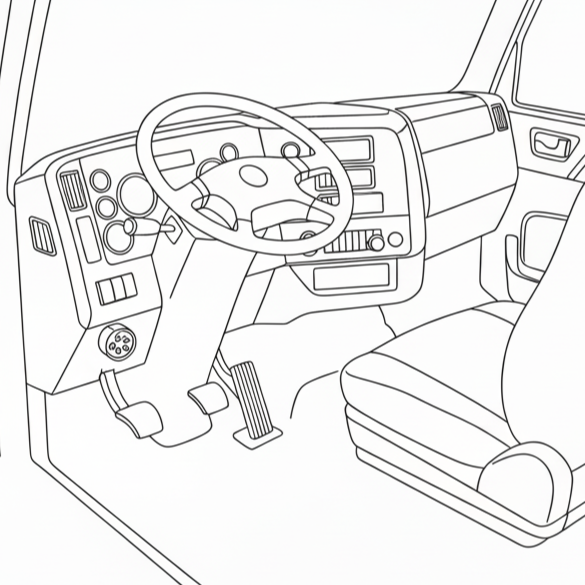
Plug the device into your truck’s J1939 or OBD II port
Step 2
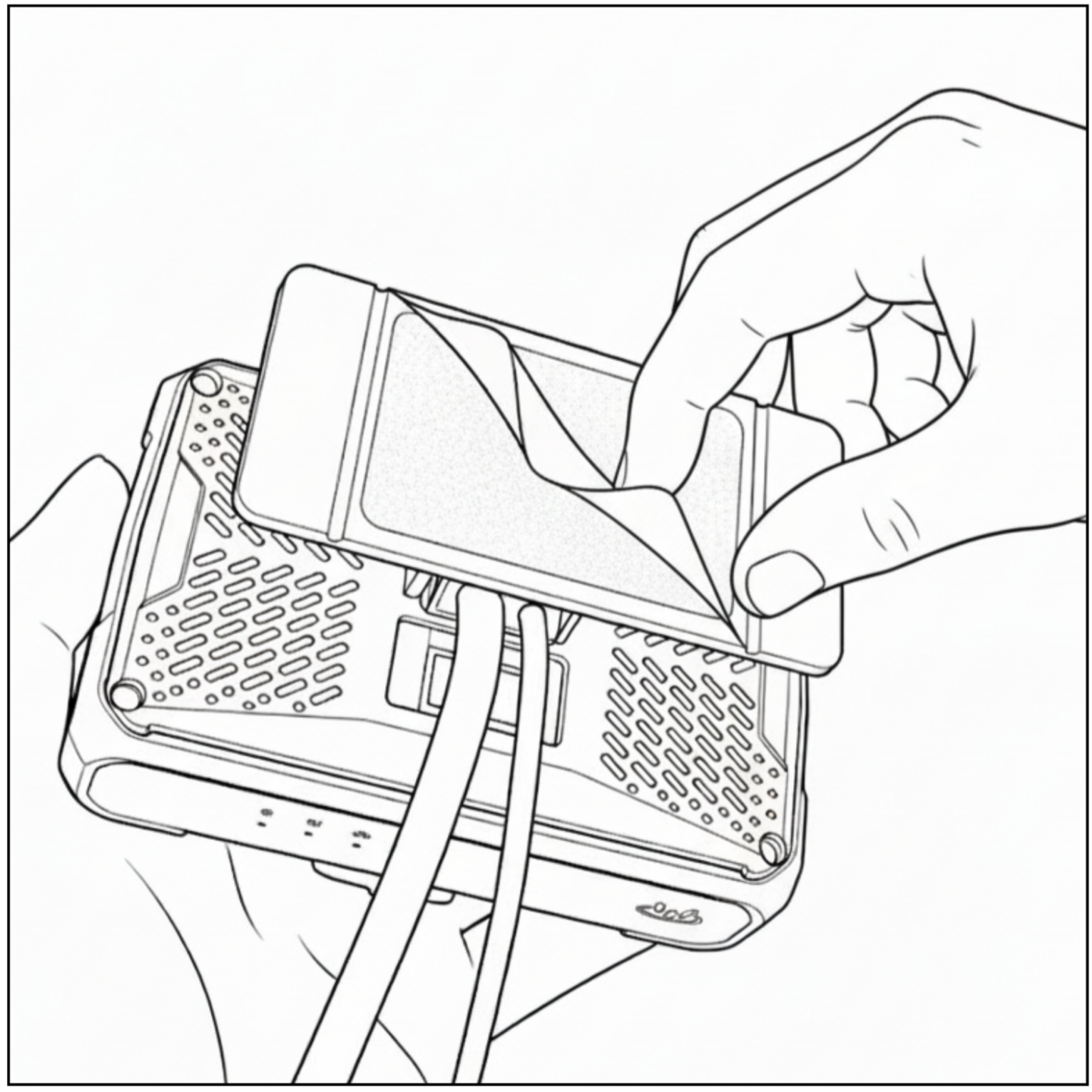
Peels off the protective layer on the bottom of the device.
Step 3
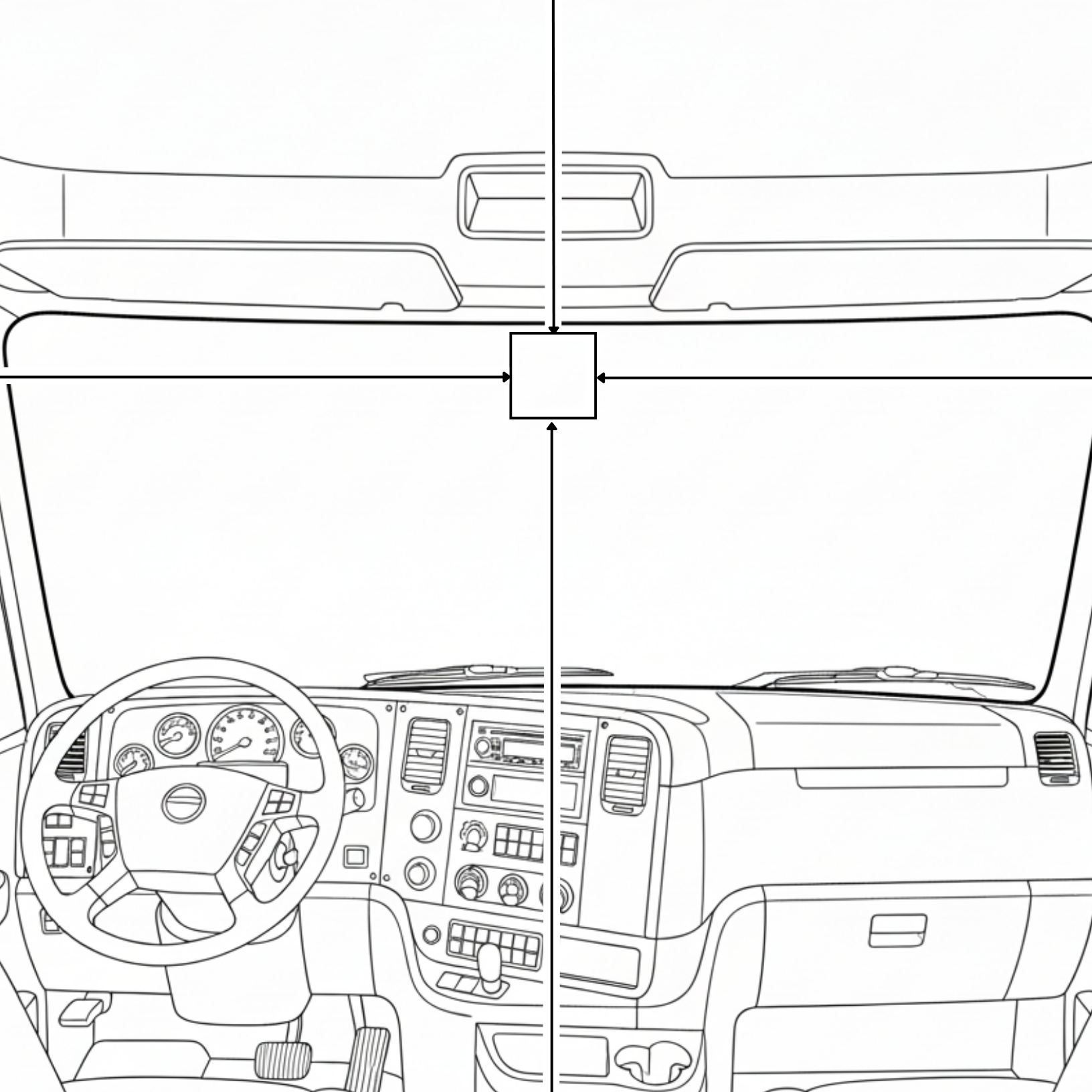
Clean and prepare the installation area. The device should be mounted at the upper center portion of the windshield.
Step 4
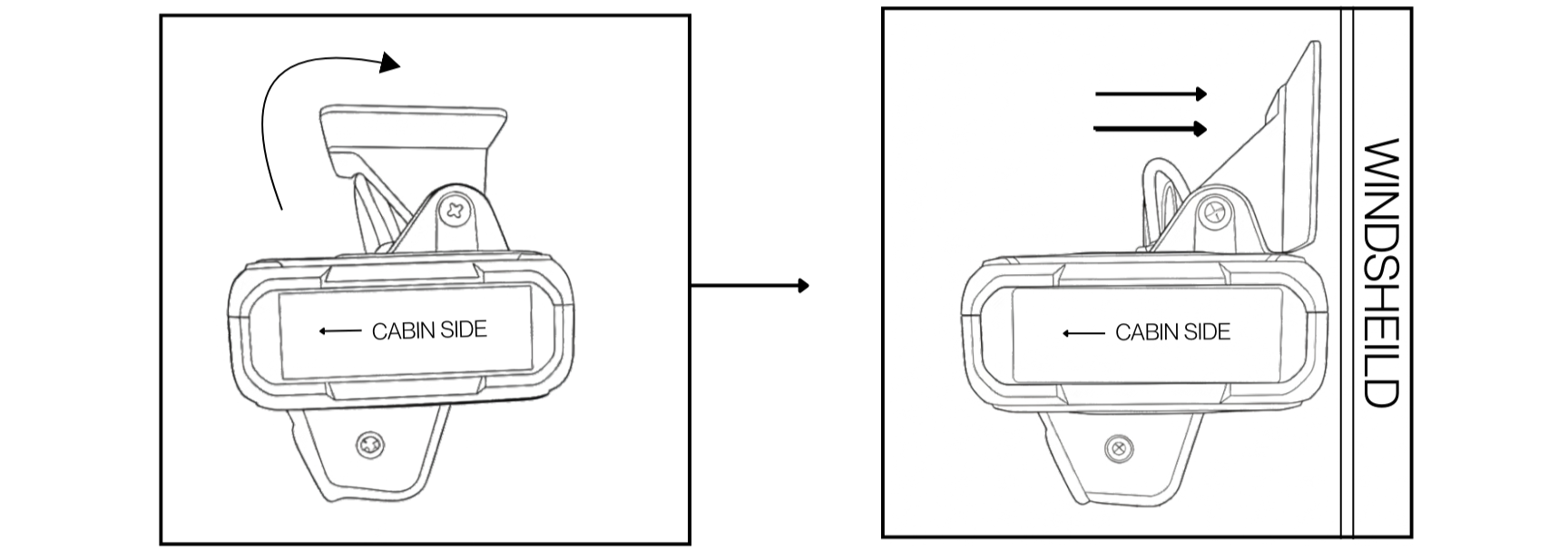
Align the device so the “CABIN SIDE” faces the vehicle interior.
Press the device firmly against the windshield and slide it into position as shown, ensuring full contact with the glass.
Step 5
Follow the calibration instruction to finish installation